![special-case-sl-logo.png]](https://help.seedlegals.com/hs-fs/hubfs/special-case-sl-logo.png?width=165&height=18&name=special-case-sl-logo.png)
Great news - HMRC has approved your EMI valuation!
There are now a few steps to complete before your EMI options are fully set up.
Before you get started
Your EMI valuation is valid for 90 days from the date HMRC agreed the valuation, so you’ll need to grant your EMI options within this window.
HMRC’s approval is also based on the company’s circumstances at the time the valuation was agreed. If something happens before you grant the options that could affect the value of the shares, the valuation may no longer be valid.
Changes that could affect a share valuation may include:
- a change, or actively contemplated change, to the company’s share or loan capital;
- an arm’s length transaction, or actively contemplated transaction, involving shares in the company;
- negotiations or preparations for a flotation or takeover;
- the declaration of a dividend on any class of shares; or
- the publication of new financial information, such as annual accounts or interim results.
You can read more in HMRC's guidance on share scheme valuations.
If anything significant changes between receiving HMRC approval and granting your options, get in touch with us before going ahead with the grants.
Here are your next steps:
1. Finalise and adopt your EMI Option Scheme
Finalise your Option Scheme Rules
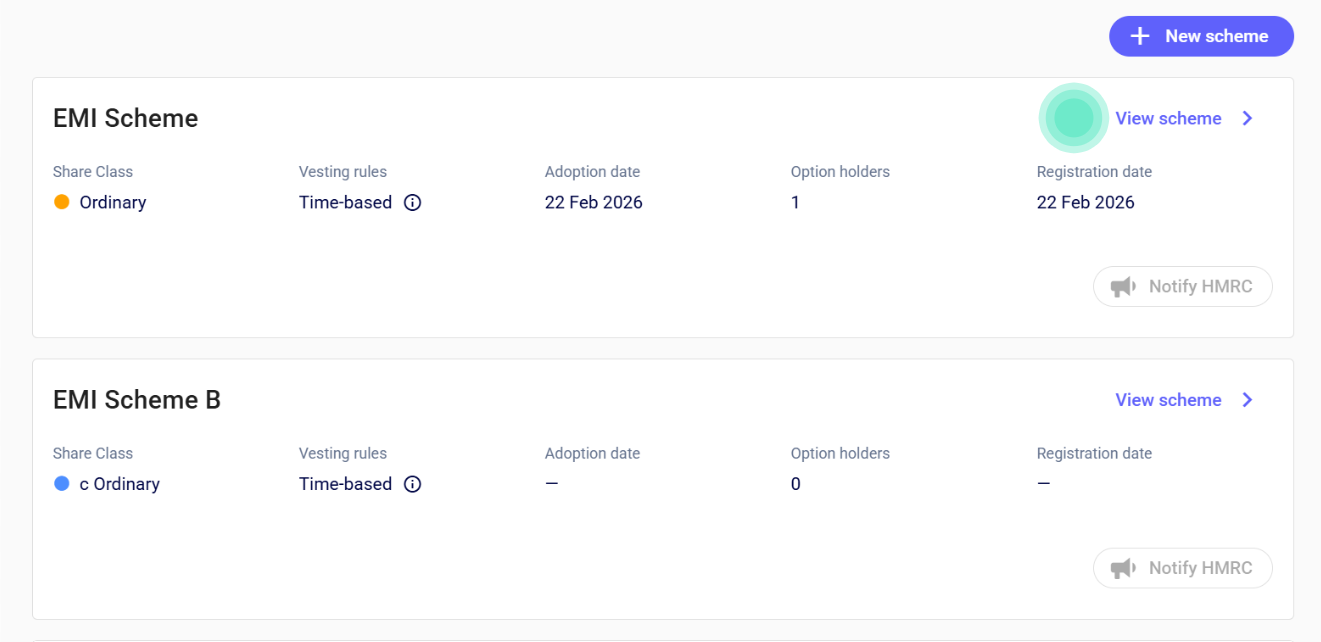
From your Options area, open the relevant EMI Option Scheme and select View scheme.
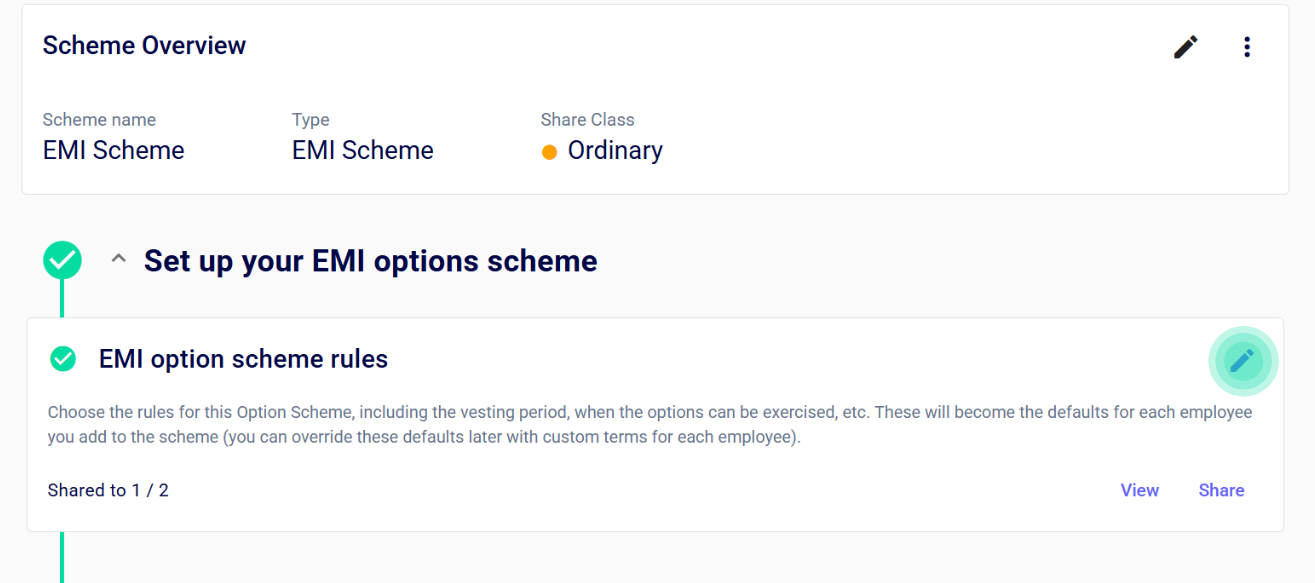
From here, open your Option Scheme Rules and work through the scheme terms to make sure you're happy with them before they are adopted.
Approve the scheme
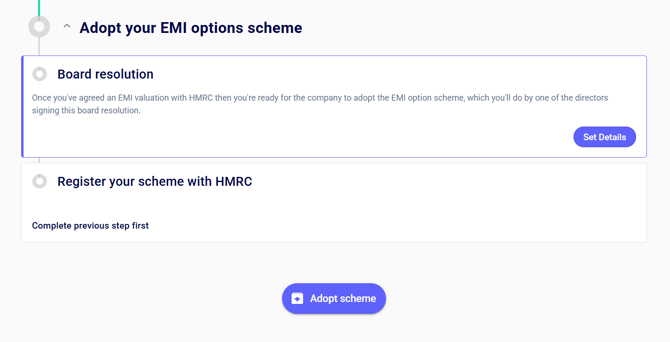
Once your scheme terms are finalised, the Board will need to approve the Option Scheme Rules.
You can generate the relevant Board Resolution from your scheme on SeedLegals. Complete the required information and arrange for the resolution to be signed.
If your scheme or option documents have been amended outside SeedLegals, please keep in mind that we don't review off-platform amendments. We recommend having any bespoke changes reviewed separately to make sure they work as intended and don't conflict with other terms in your documents.
2. Mark your EMI valuation as approved
Once HMRC has agreed your valuation, return to your EMI valuation on SeedLegals and mark it as approved, using the approval date shown in HMRC's response.
This makes sure the correct valuation and 90-day grant window are reflected on the platform.
3. Register your EMI scheme with HMRC
Before you can notify HMRC about EMI options granted to employees, you'll need to register the scheme through HMRC's Employment Related Securities (ERS) service. You can still go ahead and grant EMI options before your scheme has been registered.
We recommend doing this early so that your scheme is ready when you come to submit your EMI grant notifications.
Follow our guide on how to register your EMI Option Scheme with HMRC
4. Grant your EMI options
You're now ready to create your option grants.
Remember: your EMI options must be granted within 90 days of the date HMRC agreed your valuation, provided there haven't been any changes in the company's circumstances that affect the agreed share value.
You can create the grants directly from your Option Scheme on SeedLegals.
For a full walkthrough, see our step-by-step guide to creating an option grant on SeedLegals.
Make sure each grant is fully completed and signed before the end of your 90-day valuation window.
5. Notify HMRC about your EMI grants
Once your options have been granted, you'll need to report them to HMRC.
For EMI options granted on or after 6 April 2024, the deadline is 6 July following the end of the tax year in which the grant was made.
For example, an option granted between 6 April 2026 and 5 April 2027 must be notified to HMRC by 6 July 2027.
You can find the full process in our guide: How to notify HMRC about the granting of an EMI Option.
Don't leave this until the deadline – failing to notify HMRC correctly can affect the tax-advantaged status of the options.
6. Complete your Joint NIC Election, if applicable
If you're using a Joint NIC Election, this is a good time to get it signed and in place.
A Joint NIC Election can be used to transfer certain employer National Insurance liabilities arising on a chargeable event to the employee.
You no longer need to send the Joint NIC Election to HMRC for approval before it is completed. However, we recommend getting it signed well before any option exercise takes place, so it is already in place if and when it is needed.
You can follow our Joint NIC Election step-by-step guide for more information.
Using a Joint NIC Election is optional, so if you're unsure whether it's appropriate for your company, we'd recommend speaking to your tax adviser.
7. Ask us for a Final Review
Once you've:
- adopted your Option Scheme Rules;
- marked your valuation as approved;
- registered your EMI scheme with HMRC; and
- created and completed your option grants,
reach out to us through the SeedLegals chat and ask for a Final Review.
We'll take a final look over the SeedLegals setup before you move on.
You can open the chat using the chat icon in the bottom-right corner of the SeedLegals platform or website.
Need a hand?
If you have any questions while completing the steps above, send us a message through the SeedLegals chat and the team will be happy to help.
You may also find these guides useful: