![special-case-sl-logo.png]](https://help.seedlegals.com/hs-fs/hubfs/special-case-sl-logo.png?height=18&name=special-case-sl-logo.png)
You can share a document for signature in 3 simple steps:
Step 1 :
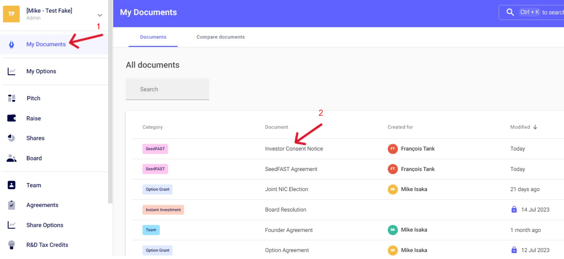
First, log into the SeedLegals platform and navigate to My Documents in your left menu, then click on the document you wish to share.
Step 2 :
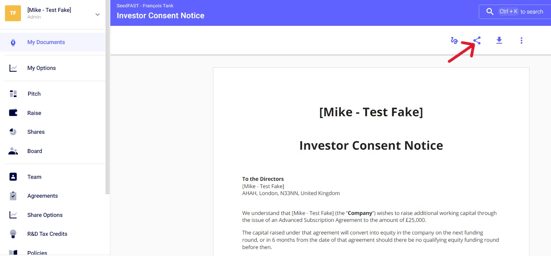
Once the document is open, click on the share icon at the top right
Step 3 :
A window will appear showing the relevant signatories to share the document.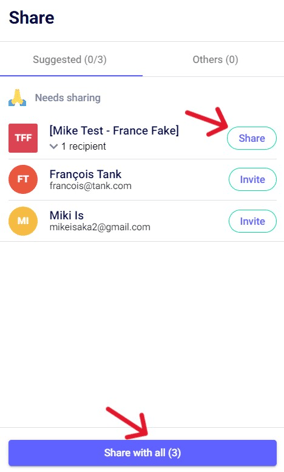
- Click
 to share with a specific signatory ; or
- Click
 to share with all relevant signatories
Once the document has been shared, the recipient will receive an email with a link that will allow them to log in and directly access the document to be signed. To learn more, click on this article: How to sign a document?
Any questions?
Do not hesitate to ask us from the online chat at the bottom right of your screen! 🗨️