![special-case-sl-logo.png]](https://help.seedlegals.com/hs-fs/hubfs/special-case-sl-logo.png?width=165&height=18&name=special-case-sl-logo.png)
When you issue new shares in your company, you must file an SH01 (Return of Allotment of Shares) with Companies House within 30 days of the allotment.
1. Access the SH01 Filing Option
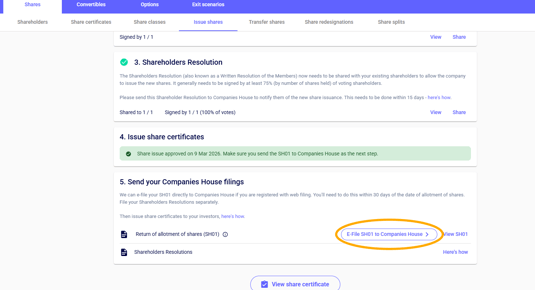
Once a share issuance, instant investment, or funding round has been completed and all documents are signed, the platform will automatically make the SH01 e-filing option available.
2. Automatic SH01 Generation
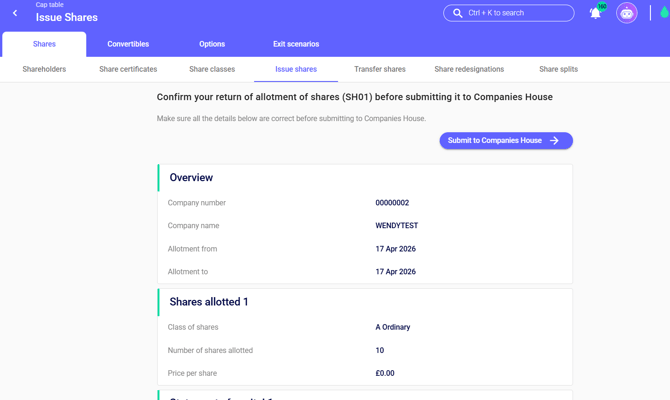
The platform will then automatically generate an overview of what will be included in the SH01 form, including the number of shares allotted and the statement of capital.
3. Submit the SH01 via E-Filing
This e-filing process removes the need to manually download, sign, or upload the SH01 form.
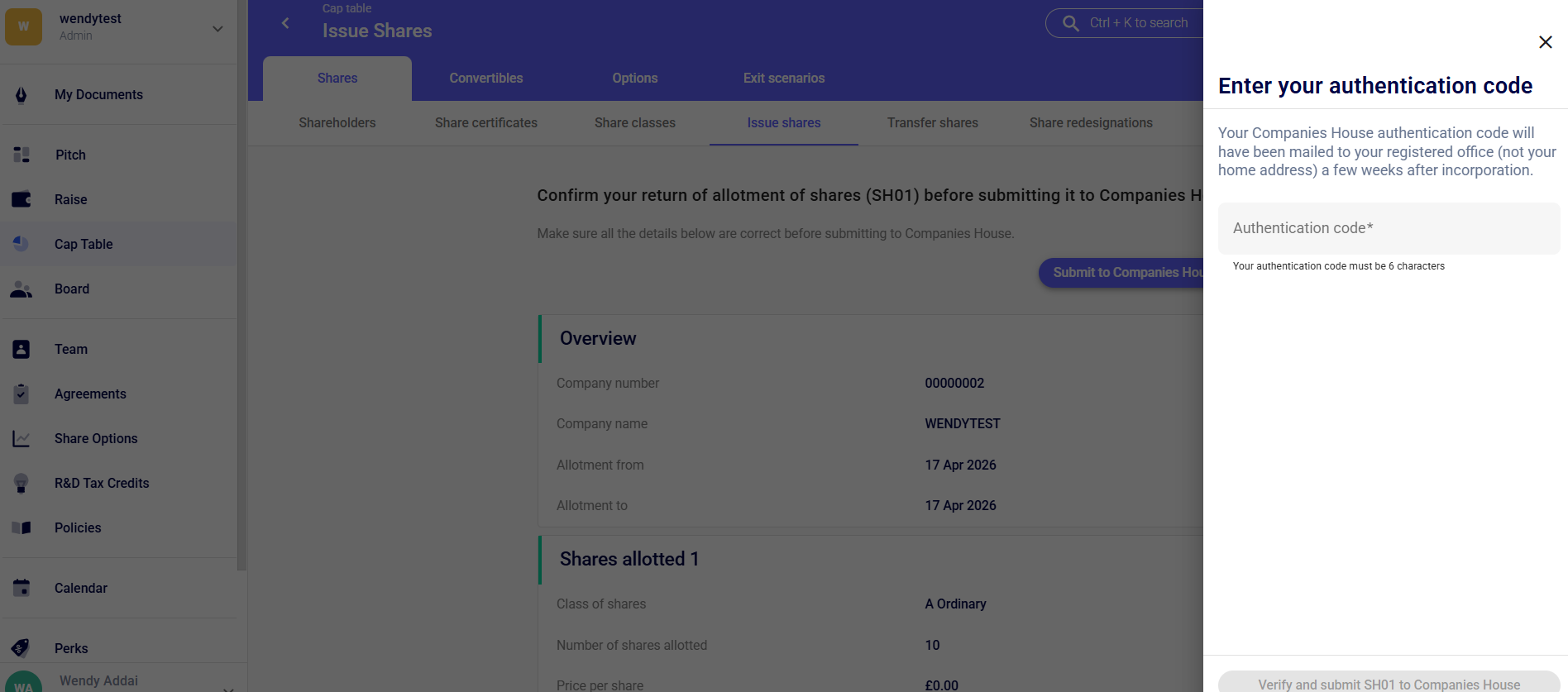
At this stage you will also be asked to enter your authentication code. Please note your Companies House authentication code is sent by post to your registered office address, not your home address, usually a few weeks after the company has been incorporated.
4. Confirmation and Records
After the SH01 has been filed:
-
You will receive confirmation once the filing has been processed.
-
The cap table will continue to reflect the updated share structure.
-
A copy of the filed SH01 can be downloaded for your company records.
Keeping this document is important for compliance and for future investor due diligence.