Skip to content
English
  • There are no suggestions because the search field is empty.

How to E-File an SH01 Form on the SeedLegals Platform

A step-by-step guide to submitting a Return of Allotment of Shares using the new e-filing feature

After completing a share issuance on SeedLegals, companies must notify Companies House by filing Form SH01 – Return of Allotment of Shares. SeedLegals has introduced a new e-filing process that allows this form to be submitted directly through the platform. 

1. Complete the Share Issuance

Before filing the SH01, ensure that the share issuance has been fully completed and recorded in your company’s cap table.

When a share issuance is finalised on SeedLegals:

  • The new shares are allocated to the shareholder

  • The cap table is updated to reflect the allotment

  • The share issuance date is recorded

This information is used to automatically prepare the SH01 form.

Important:
An SH01 must be filed with Companies House within one month of the allotment date.

2. Navigate to the Cap Table

Once the share issuance has been completed, it is important to verify that everything has been executed correctly by reviewing the share issuance on the cap table.

Ensure you click on the Cap Table section on the left-hand side of the screen, then select Shares, followed by Shareholders. Make sure your cap table is set to Event View, as this will make it easier to review and understand the information.

3. Access the SH01 Filing Option

After a share issuance is recorded and the workflow with all necessary documentation is completed, the platform enables the SH01 e-filing option.

Because the issuance details are already recorded, the system will automatically generate the required form.

4. Automatic SH01 Generation

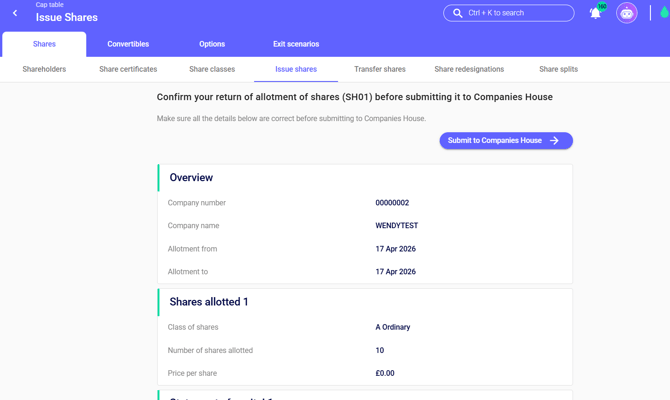
As part of the new e-filing process, the SH01 form is automatically created and populated using the information from the completed share issuance. The platform pulls data directly from your company profile and cap table, including the company name and registration number, share class and nominal value, number of shares allotted, shareholder details, and the date of allotment. This ensures the SH01 accurately reflects the exact details of the completed share issuance.

Ensure the form is reviewed at this stage to ensure everything has been accurately pulled through. 

6. Submit the SH01 via E-Filing

Once the form has been reviewed:

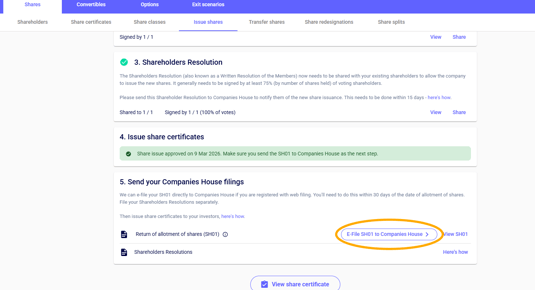
  1. Click File with Companies House.

  2. The SH01 will be submitted electronically through the platform to Companies House.

  3. Wait for confirmation that the filing has been successfully submitted.

This e-filing process removes the need to manually download, sign, or upload the SH01 form.

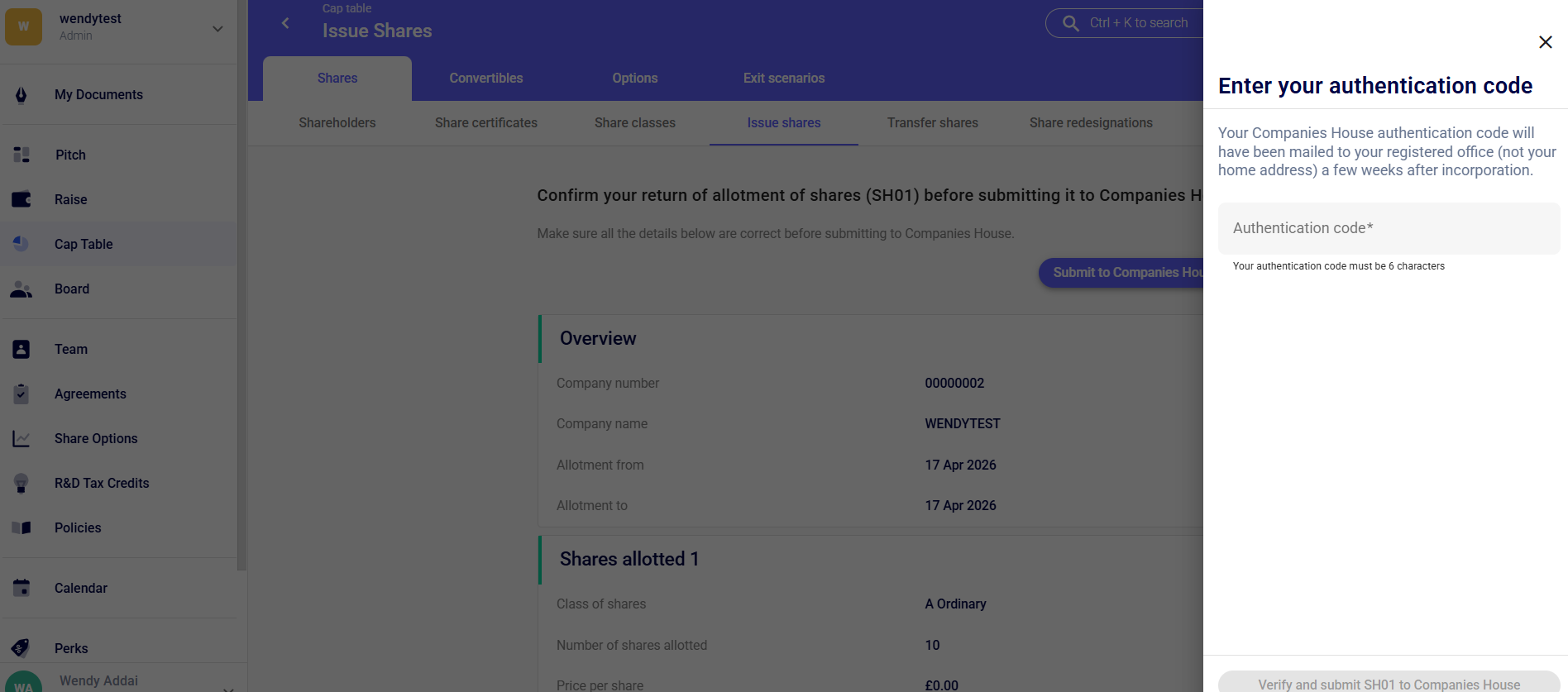
At this stage you will also be asked to enter your authentication code. Please note your Companies House authentication code is sent by post to your registered office address, not your home address, usually a few weeks after the company has been incorporated.
7. Confirmation and Records

After the SH01 has been filed:

  • You will receive confirmation once the filing has been processed.

  • The cap table will continue to reflect the updated share structure.

  • A copy of the filed SH01 can be downloaded for your company records.

Keeping this document is important for compliance and for future investor due diligence.