![special-case-sl-logo.png]](https://help.seedlegals.com/hs-fs/hubfs/special-case-sl-logo.png?width=165&height=18&name=special-case-sl-logo.png)
That’s why we’ve launched the “Deal Flow” feature. You can create your own investment proposal and send it to founders on the platform.
Follow these easy steps to create and send your Investment Proposal to founders.
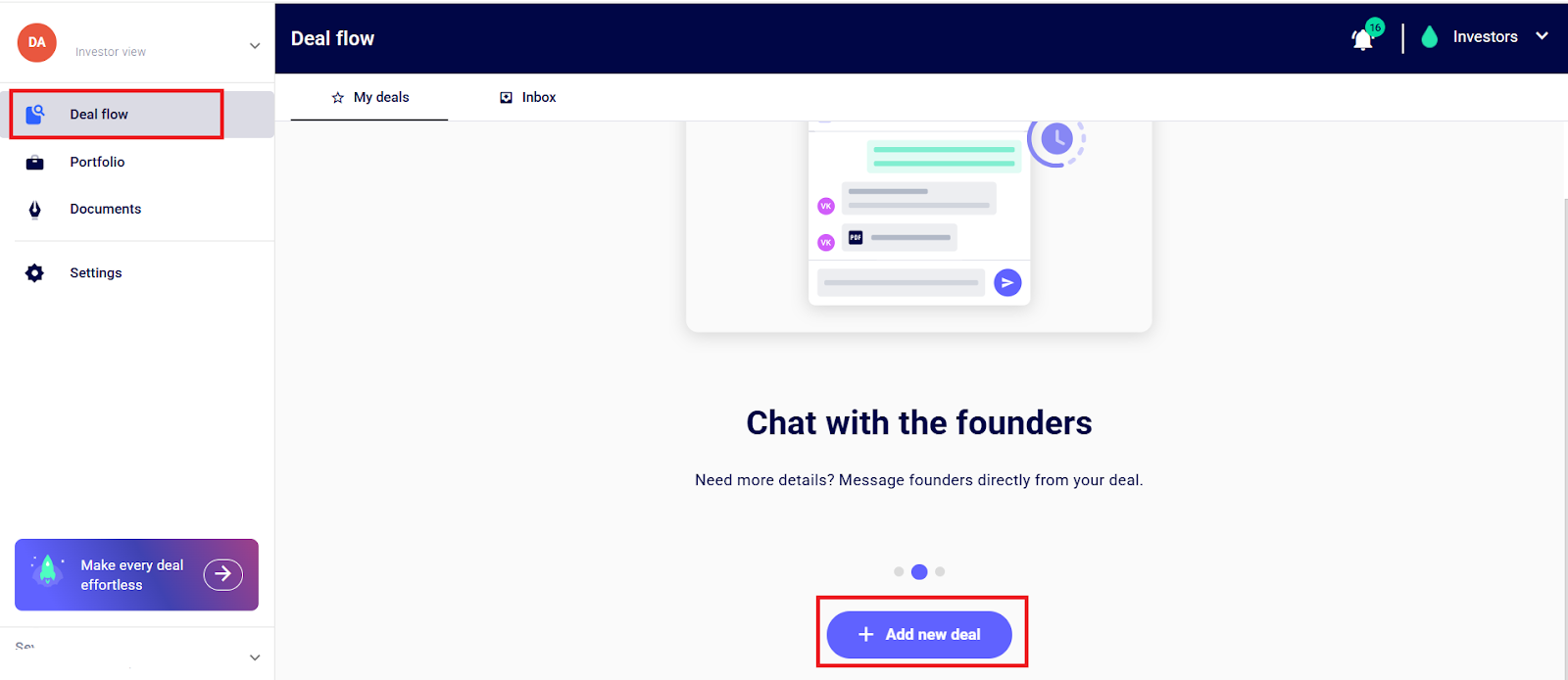
Step 1: Go to the “Deal Flow” section on the Left-hand side of the navigation panel and click “+ Add New Deal”
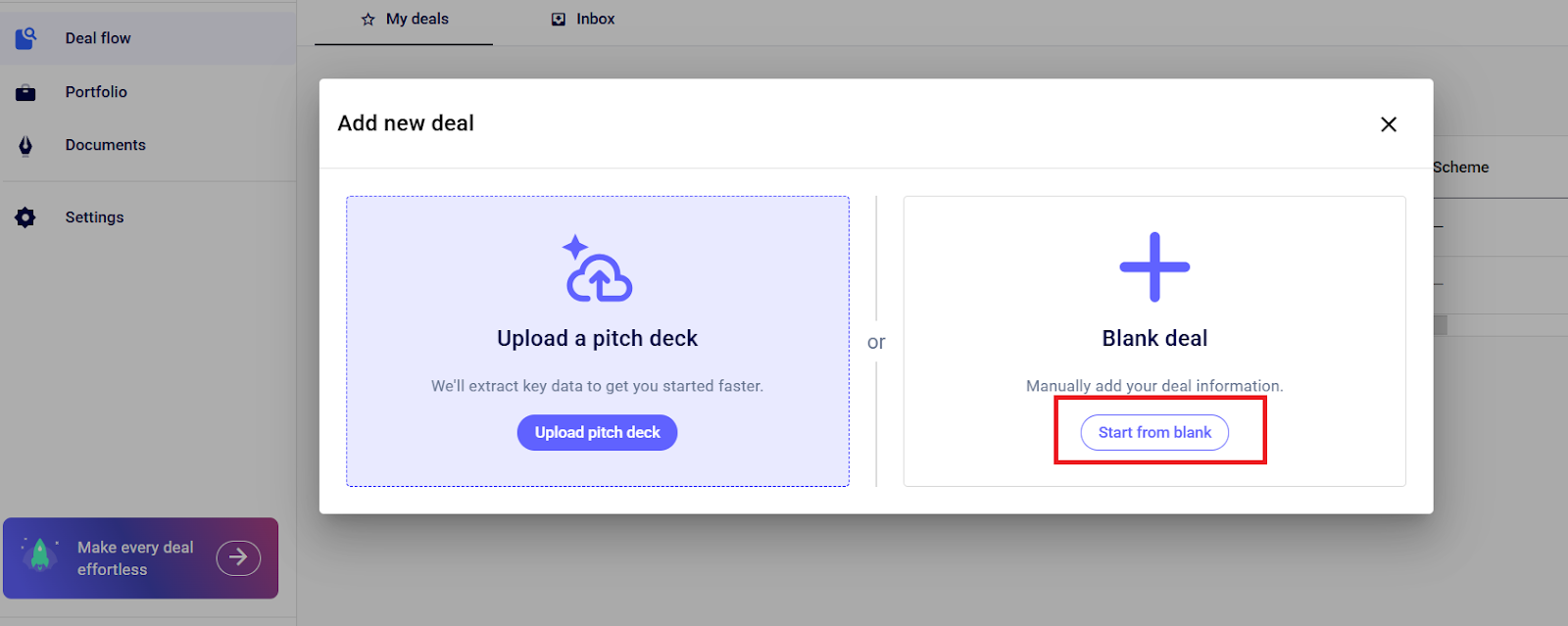
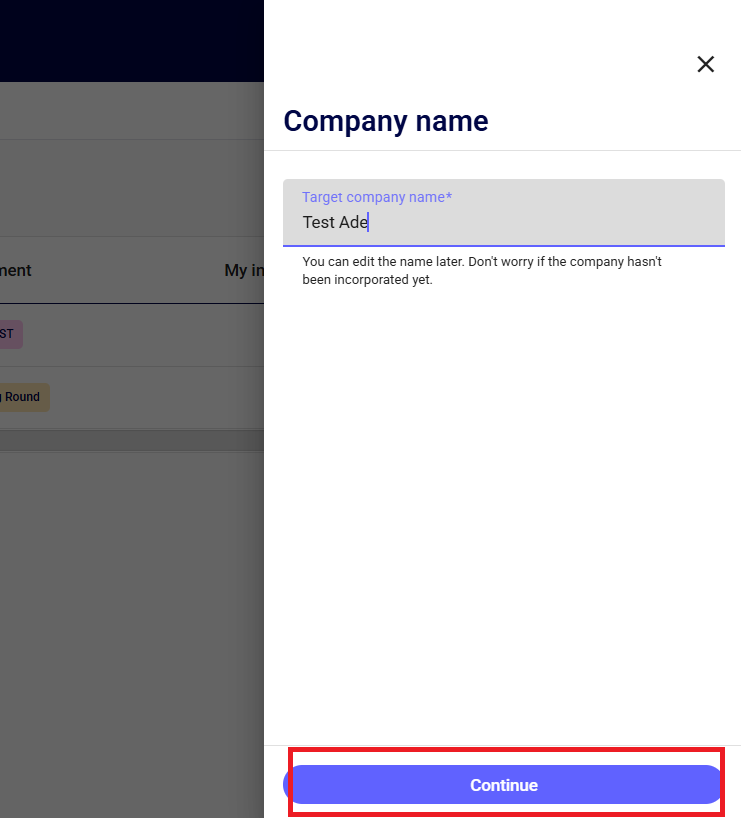
Step 2: Add a new deal by clicking on the “Start from Blank” button. Enter the company name and click “continue”.
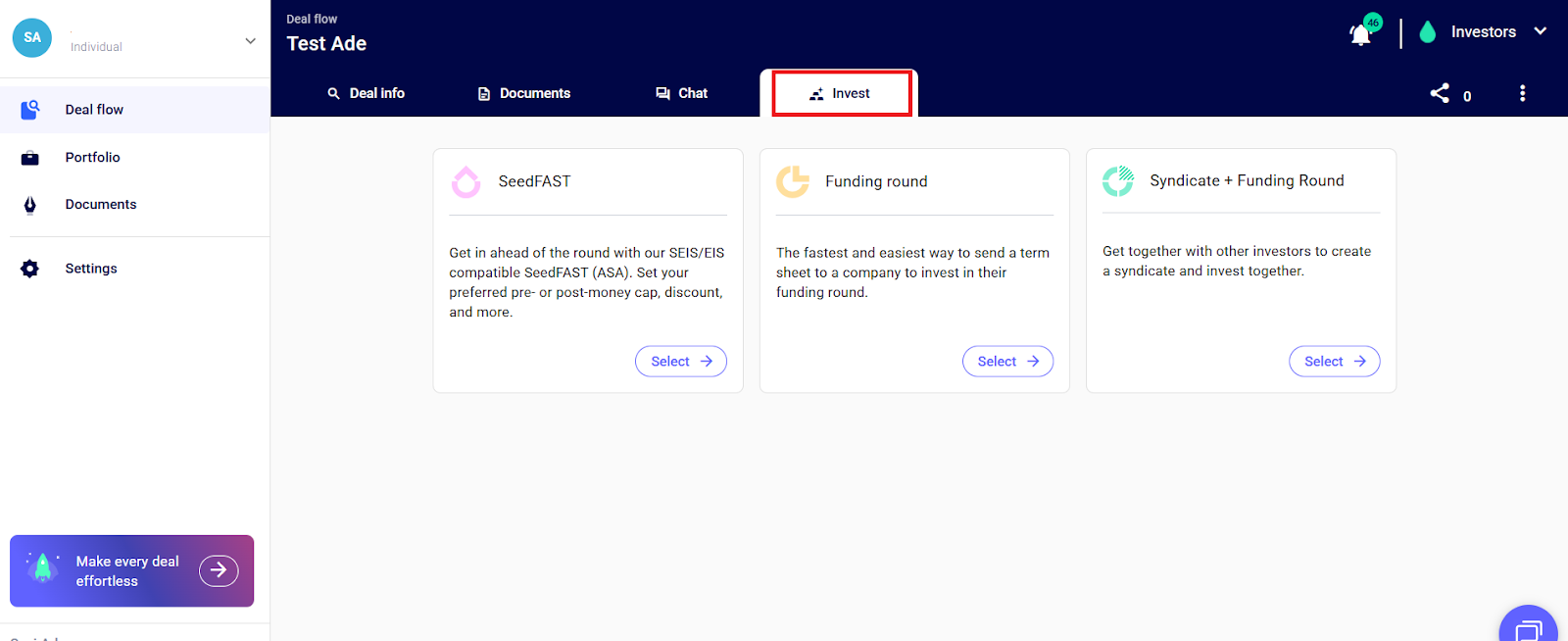
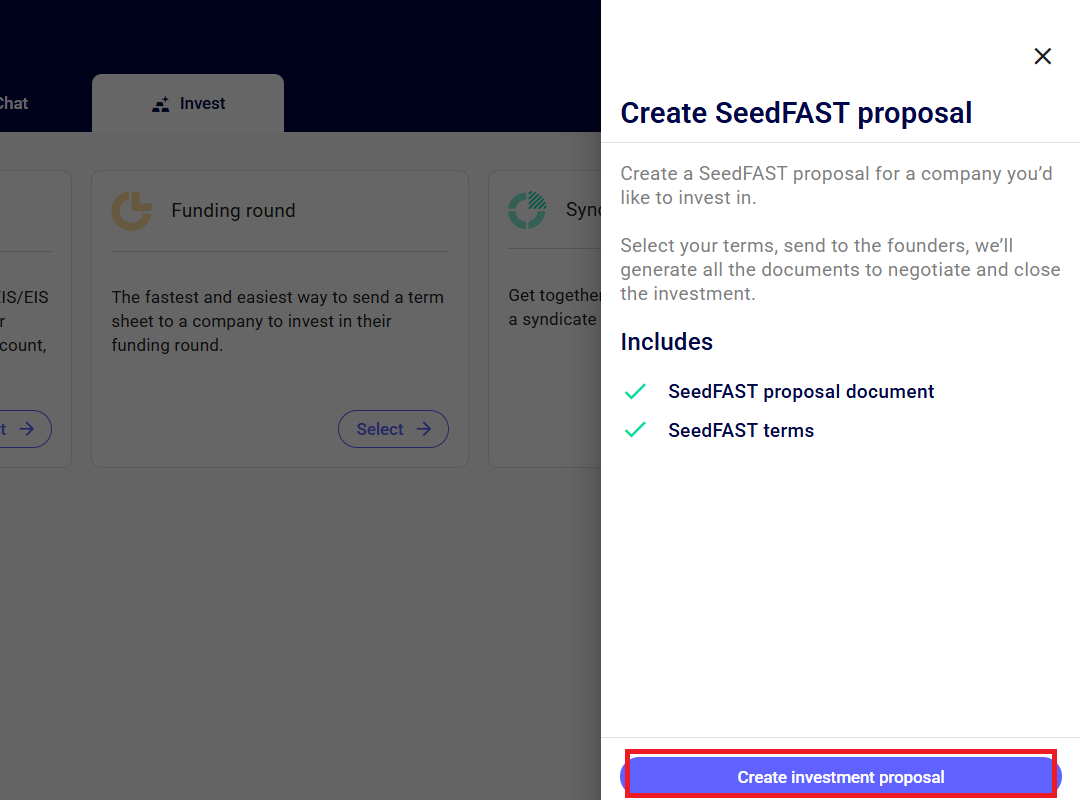
Step 3: Head to the “Invest” tab, and click the “select” button to start creating the terms of your investment and click “Create Investment Proposal”.
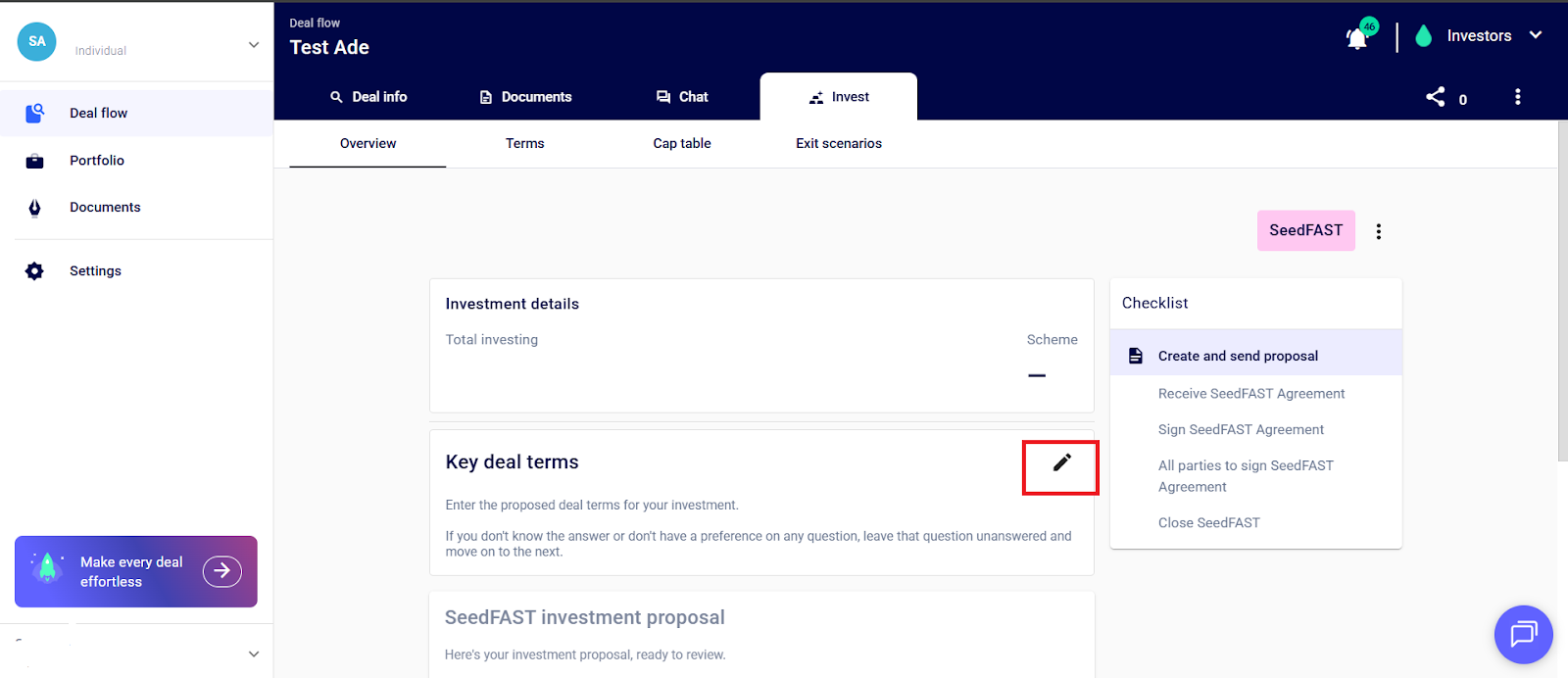
Step 4: Start entering your terms by clicking the “pencil” icon next to “Key deal terms”.
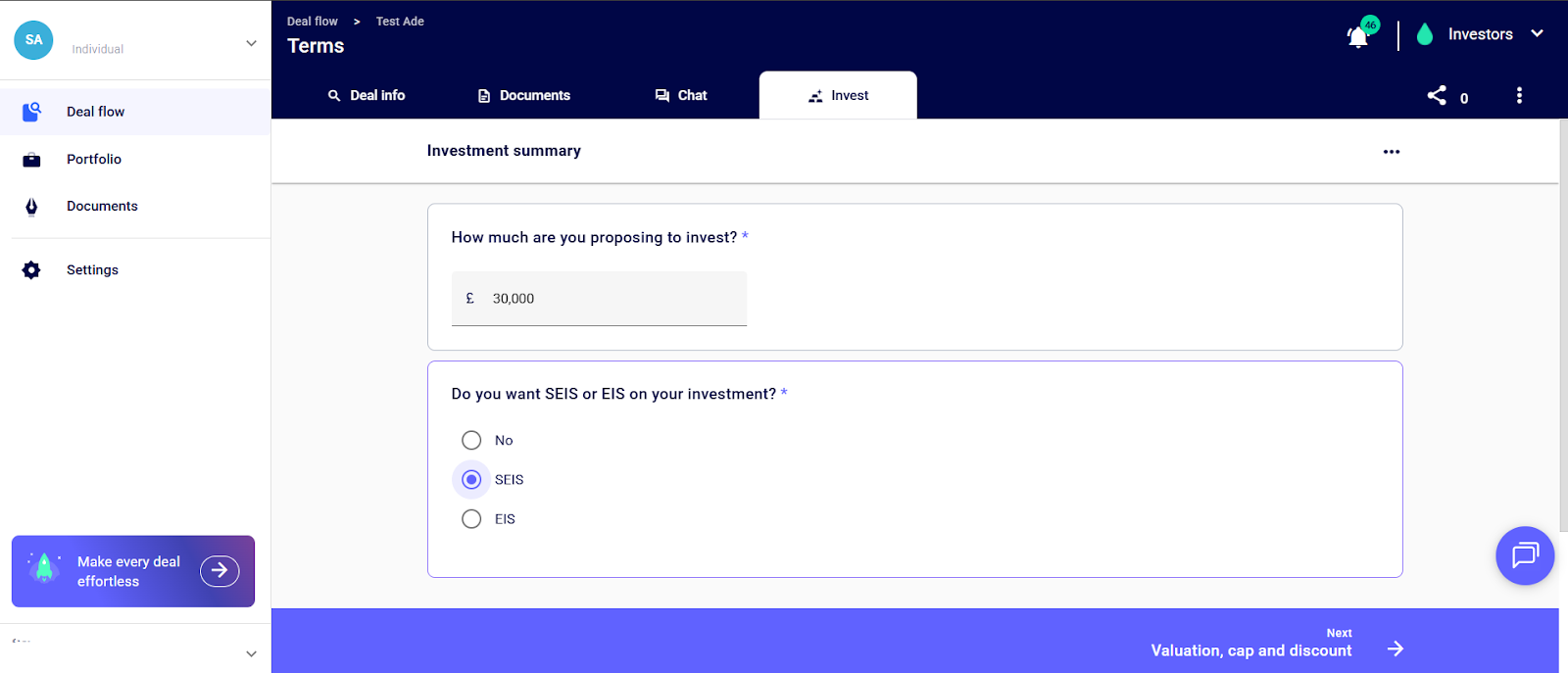
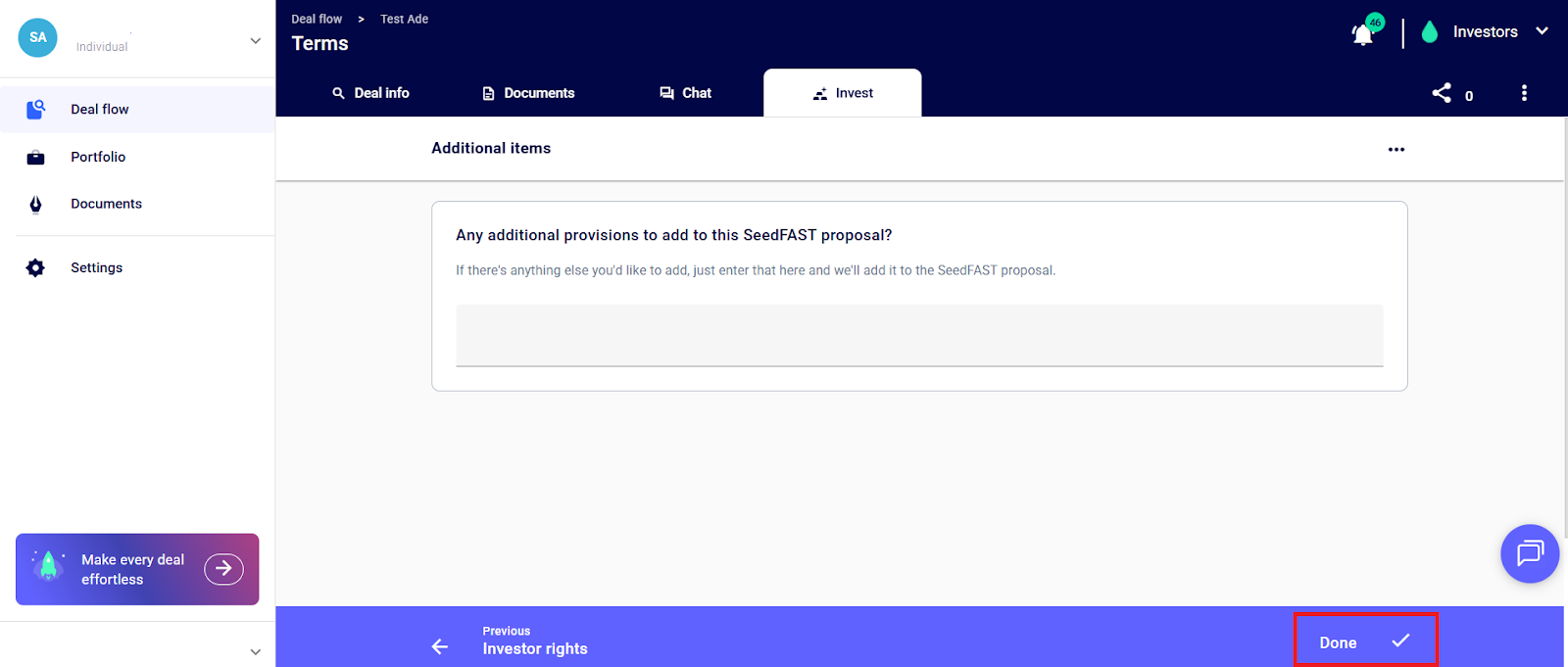
Enter your Key Deal Terms and continue to the next question by clicking the “next arrow” button until the last page, and click “done”.
Step 5: Create the Investment Proposal document by clicking “Create
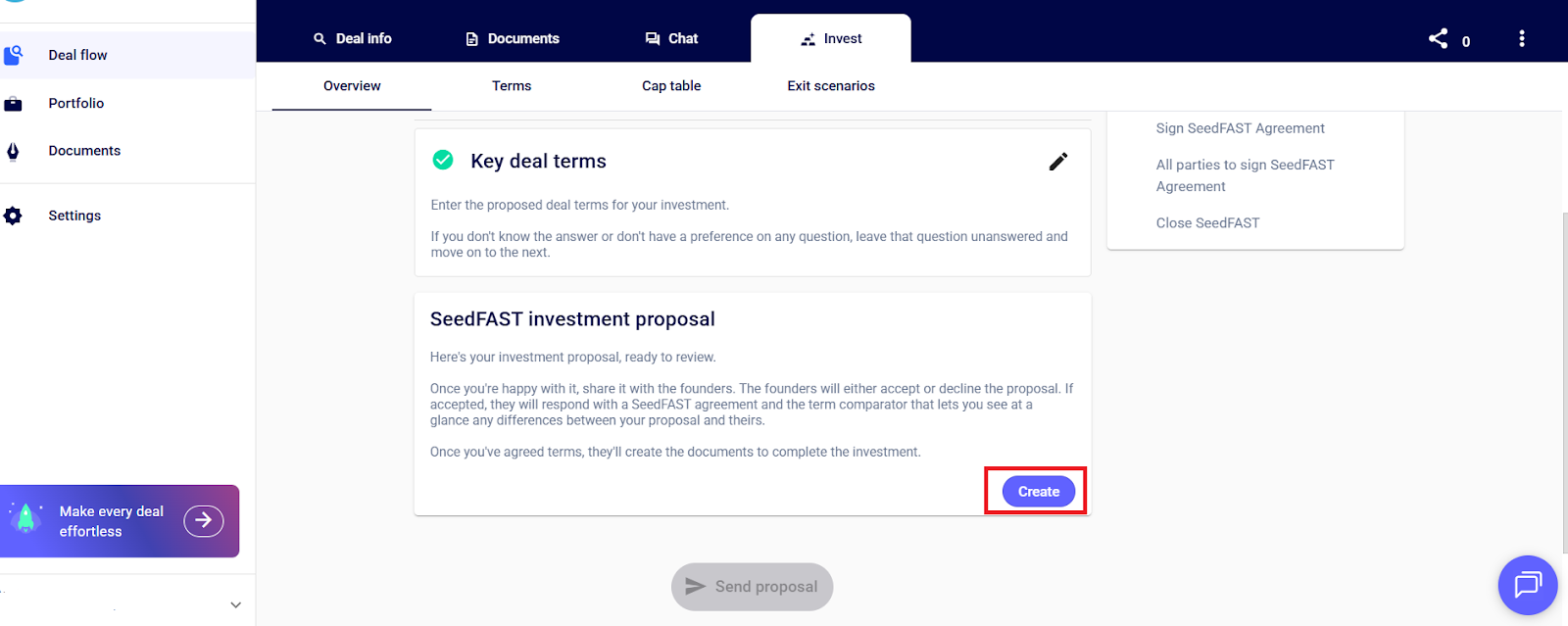
Next, share this with the company, by clicking the “share” icon.
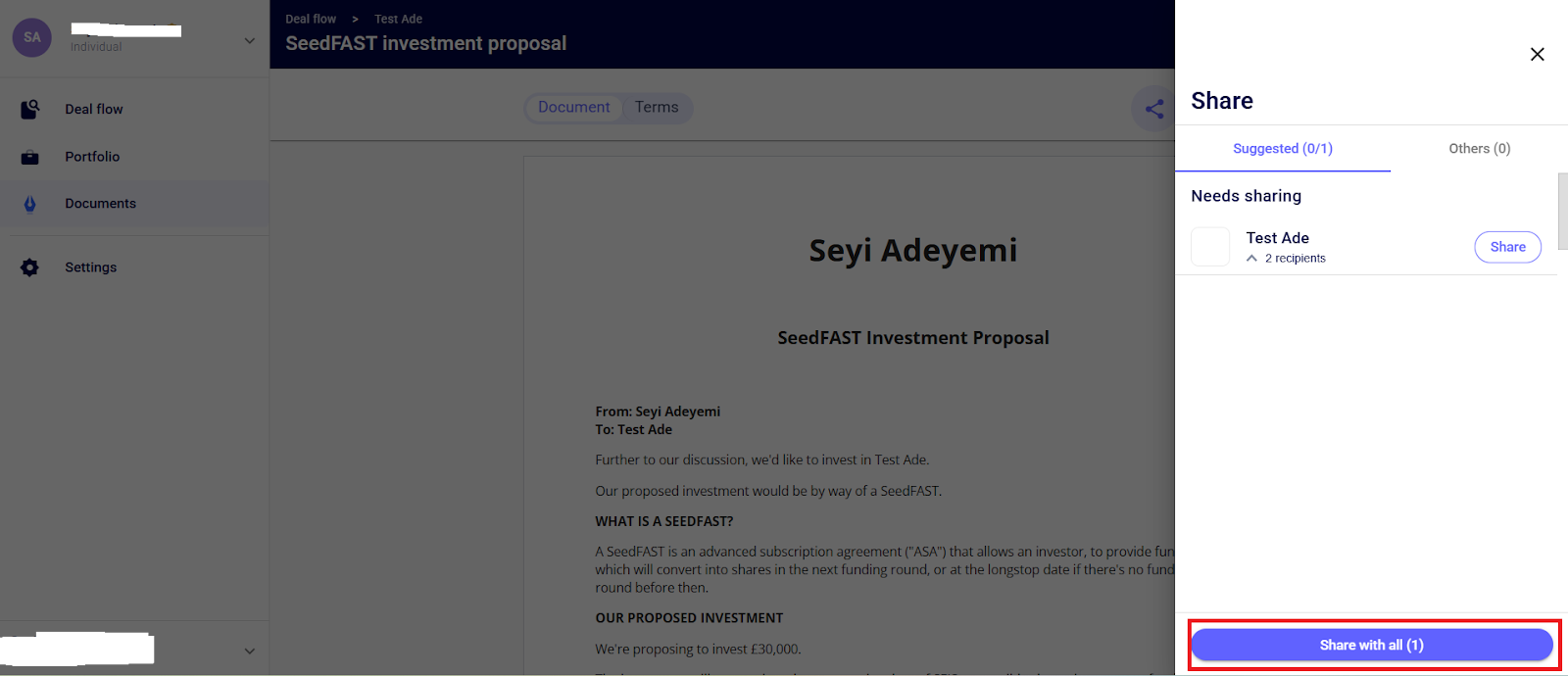
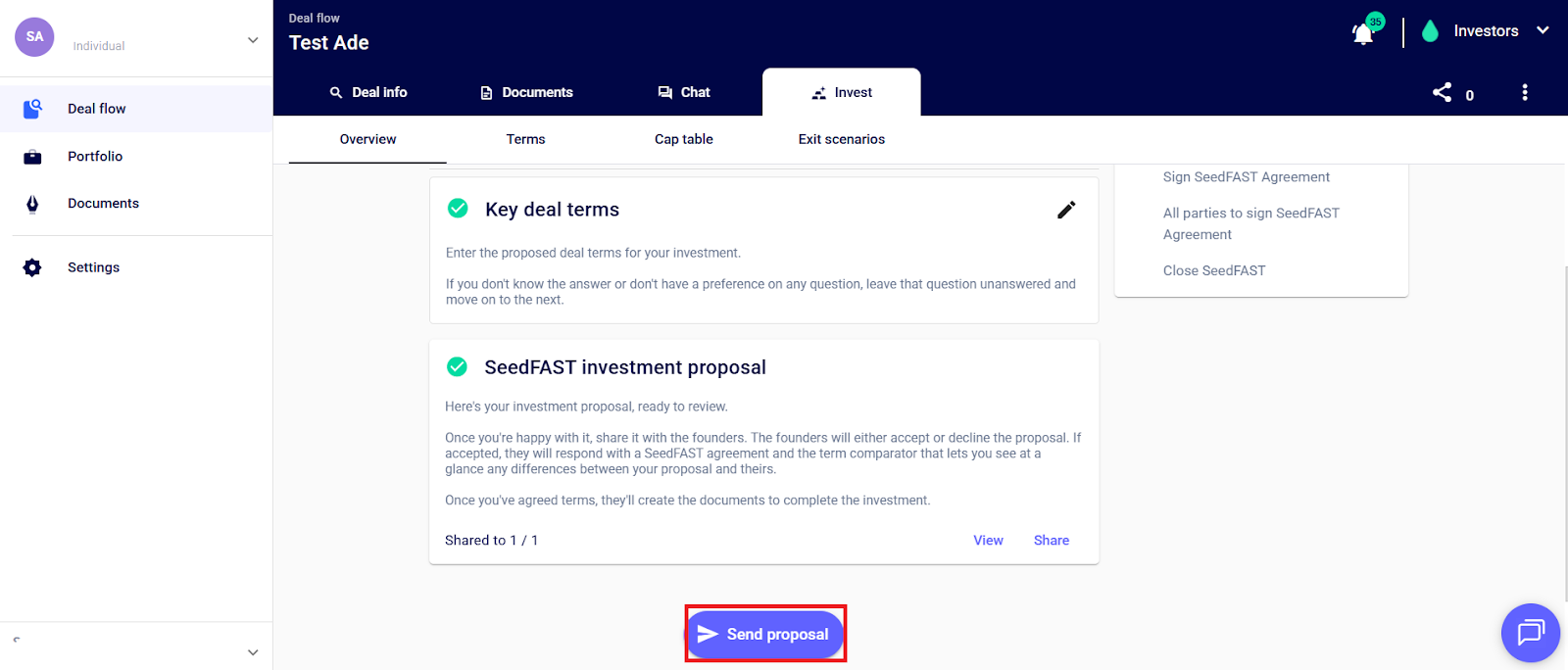
Next, send the Investment Proposal to the target company
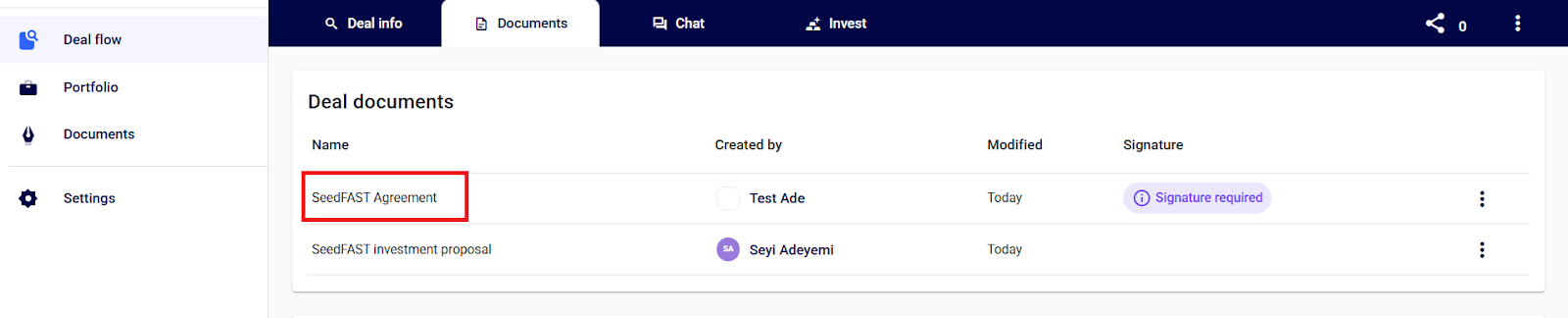
Once the investment terms are approved by the Founder, an agreement is created and shared. This can be accessed in the “Documents” section of the navigation panel or in the “Documents” section of the Deal Flow feature. You can then go ahead to sign this.
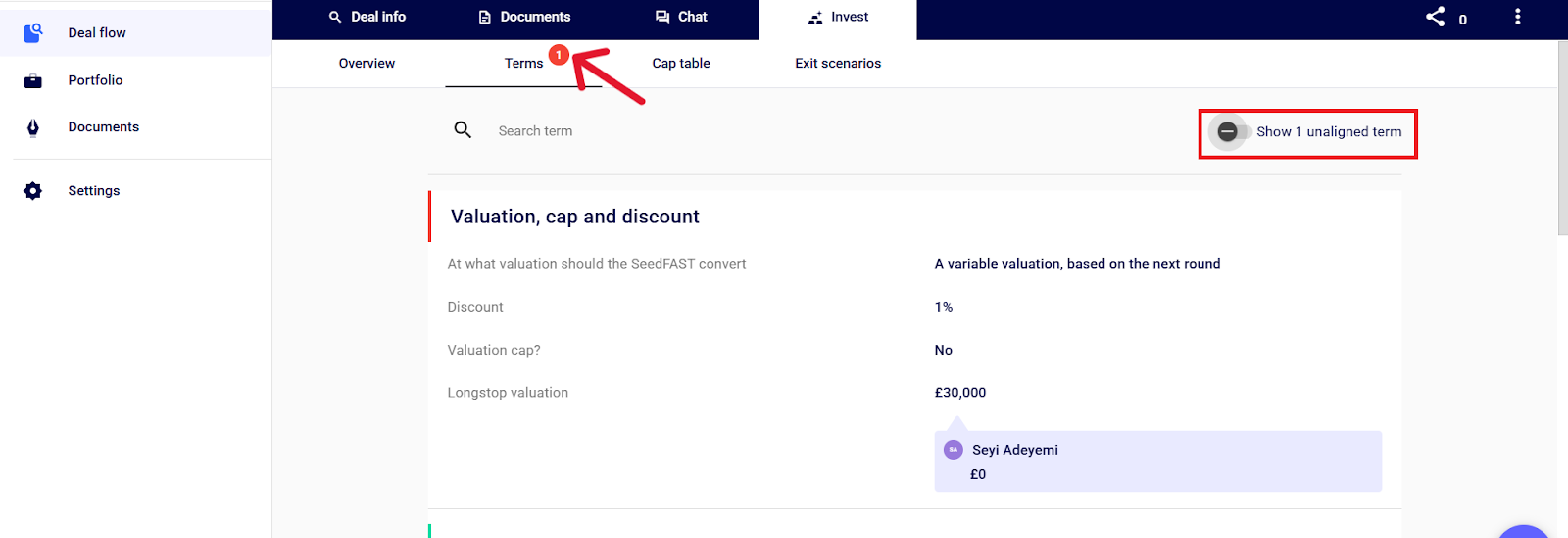
💡Please note that founders can propose terms different from the ones you initially proposed, and any unaligned terms will be shown in the “Terms” page. You can toggle on the button to show the specific terms that are unaligned.
💡A membership subscription is needed to access this feature. Feel free to schedule a call with a member of the team here.
If you have further questions or need further assistance. Please feel free to reach out to our Support Team on live chat, and they will be happy to help.