![special-case-sl-logo.png]](https://help.seedlegals.com/hs-fs/hubfs/special-case-sl-logo.png?width=165&height=18&name=special-case-sl-logo.png)
From Term Sheet, to Investment Agreements or Contracts. Our “Documents” feature allows you to access, sign and store documents that have been shared with you all in one place.
Follow these easy steps to access and sign documents that have been shared with you.
Step 1: Go to the “Documents” section on the left hand side of the navigation panel
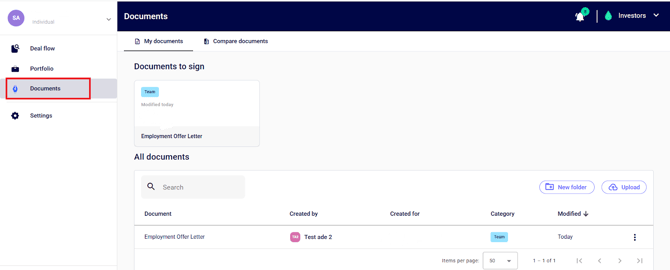
Step 2: Navigate to the specific document you’re looking to sign and click to open the document.
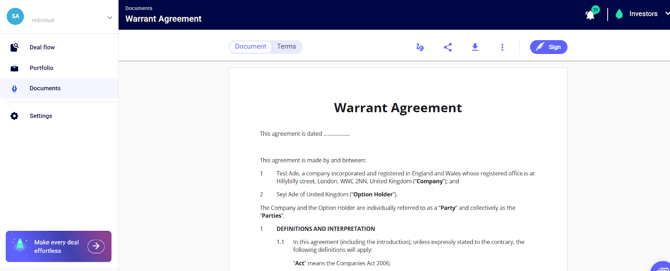
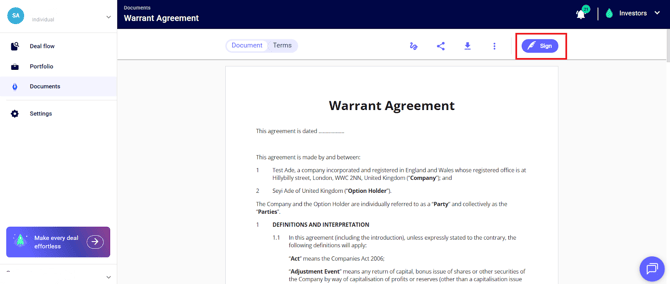
Step 3: Click on the “sign” icon at the top right corner of the document to sign.
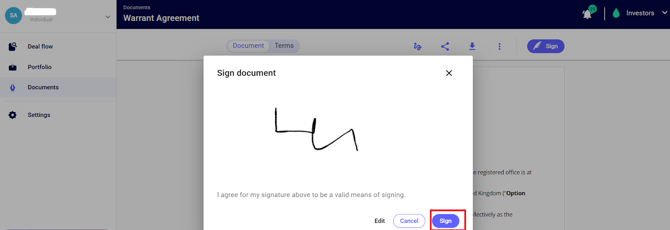
Next, click “sign”, and that is all done!
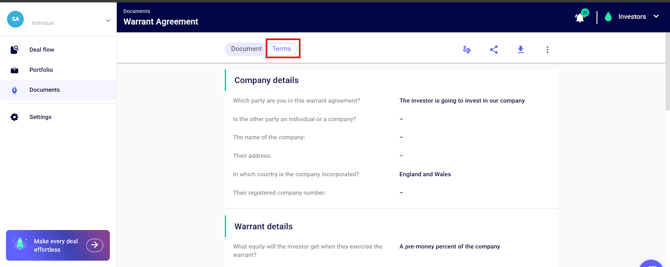
💡You can also view the terms of the agreement by toggling on the terms option!
If you have further questions or need further assistance. Please feel free to reach out to our Support Team on live chat, and they will be happy to help.