![special-case-sl-logo.png]](https://help.seedlegals.com/hs-fs/hubfs/special-case-sl-logo.png?width=165&height=18&name=special-case-sl-logo.png)
If you’re an investor who has received their S-EIS3 certificate & Share Certificate, here we'll show you exactly what you need to do to claim your 30% EIS or 50% SEIS relief!
If you are still waiting for your S-EIS3 certificate, please note that companies are unable to send the S-EIS Compliance documents to HMRC until they meet the trading requirement (trading for at least 4 months) or have spent at least 70% of the SEIS funds.
The claim is generally due for the tax year (ending 5 April) in which the shares are issued. For example: shares issued in November 2025 should be claimed at the end of the tax year 2025/26.
However, HMRC do allow you to backdate the claim to the previous tax year (carry-back).
Information on your S-EIS3 certificate that you need to claim your relief:
-
The name of the company in which you have invested
-
The amount of SEIS/EIS you have invested
-
The date the shares were issued
-
The name of the relevant HMRC office and its reference
-
Unique Investment Reference (UIR) Number: Please note every S-EIS3 certificate must have this number on it to authorise the company to issue certificates to their eligible S-EIS investors.
SELF EMPLOYED:
As a self-employed investor, you can enter the details of the S-EIS claim in your self-assessment tax return (usually in the SA101 Additional Information pages).
-
Box 10 (SEIS) or Box 2 (EIS): Under ‘Other Tax Reliefs’, enter the total amount of investment which you are claiming tax relief for. Note that for SEIS, you can now claim for investments up to £200,000 per tax year.
-
Box 21: Under ‘Any other information’, enter the details on your S-EIS3 certificate e.g. name of the company you invested in, share issue date, and the HMRC issuing office. If you’re unsure of these details, please contact the company you invested in to confirm.
You can complete your self-assessment tax return online or via post.
PAYE EMPLOYEE:
If you pay tax under PAYE, you can claim relief for that year by filling out the Claim Form on Page 3 of your S-EIS3 certificate and sending it to HMRC. You can do this by notifying whoever manages your PAYE payments or sending it directly to your tax office to request a change to your tax code.
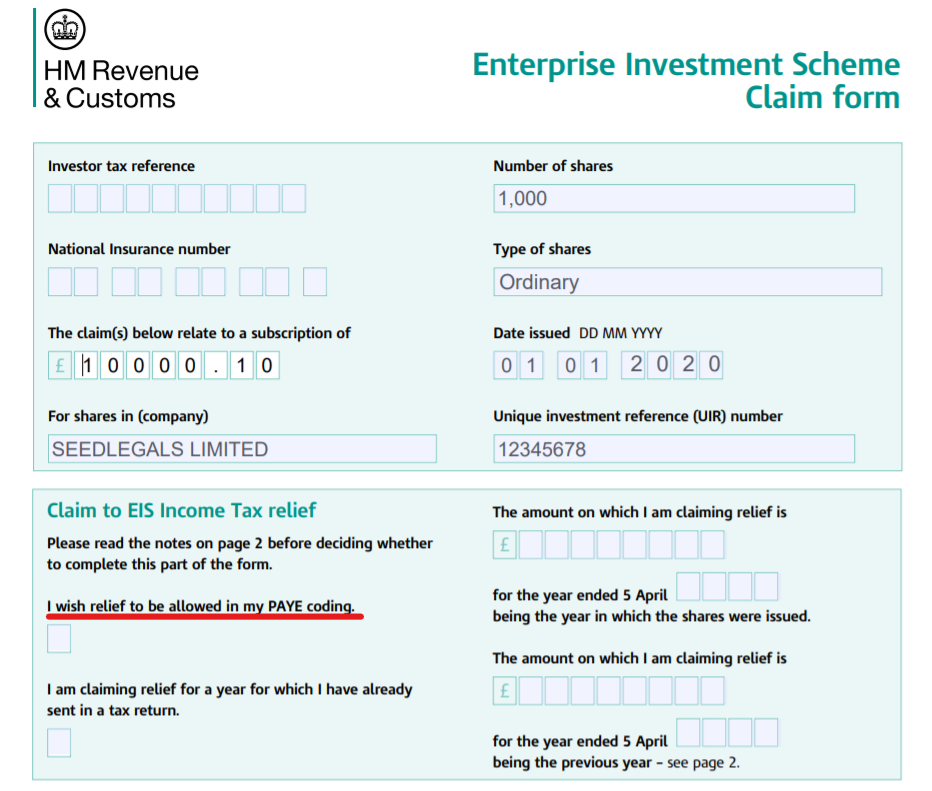
Ensure you sign the Claim Form before sending it to HMRC [page 4].
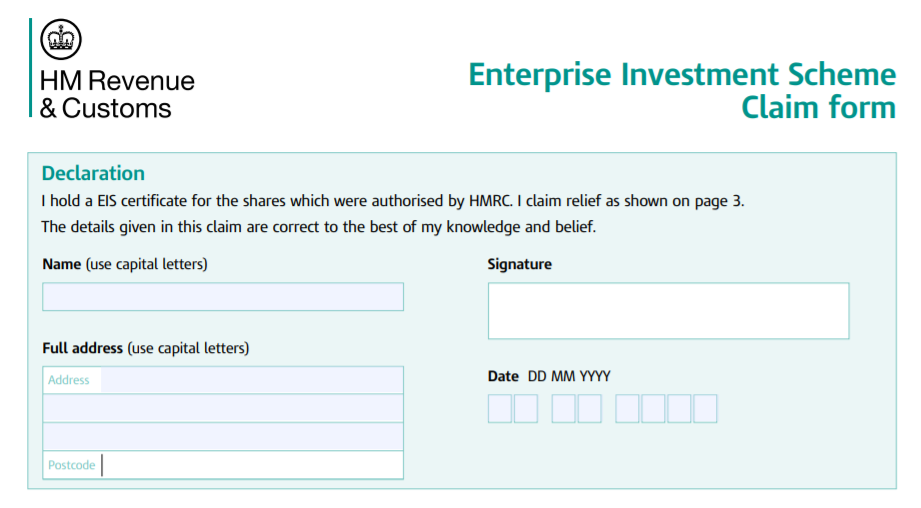
There is useful information on how to make your claim on page 2 of your S-EIS3 certificate.
Please let us know if you have any questions by sending us a message via SeedLegals live chat.
Here are some other SeedLegals resources you may find useful:
-
What is the difference between S-EIS Advance Assurance and S-EIS Compliance
-
If you haven't yet started the process to get your investors their certificates please check out our step-by-step guide on how to do your S-EIS Compliance on SeedLegals.
-
Haven't got Advance Assurance but want to jump straight to Compliance? Check out our S-EIS Business Plan Guide & Common Mistakes in S-EIS Business Plan